

Description
Product Overview
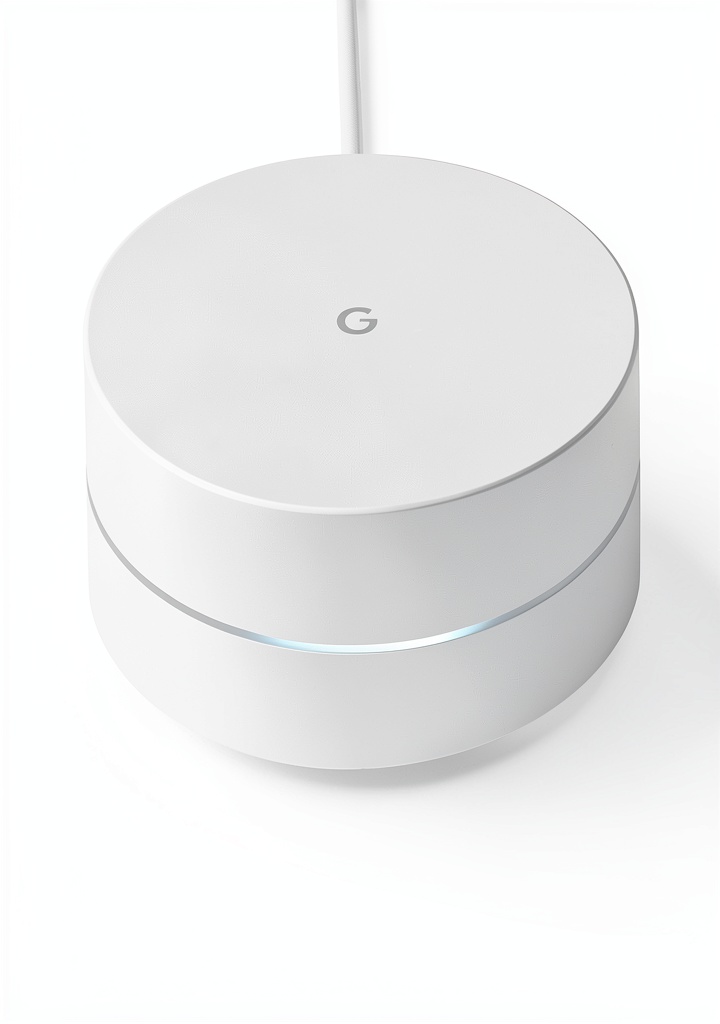
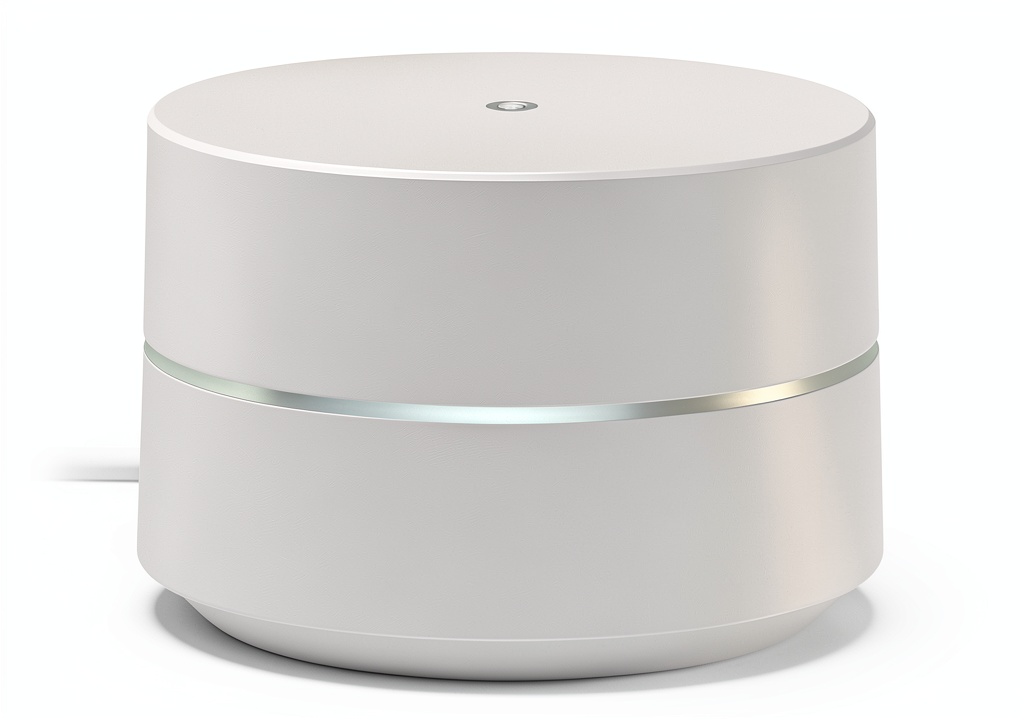
The Google Wifi 2016 mesh system is a modern, whole‑home networking solution that replaces a traditional router with a set of intelligent Wi‑Fi points. Each point is built from durable plastic housing and houses a 2×2 802.11ac Wave 2 radio paired with Bluetooth Low Energy (BLE) for seamless device discovery. With a compact size of 4.17 × 4.17 × 2.7 inches and a lightweight design of just 11.8 ounces, the units blend unobtrusively into any room while delivering robust performance.
Every point supports a maximum throughput of 1200 Mbps, which is split across the 5 GHz and 2.4 GHz bands. The system’s Network Assist technology continuously monitors the environment, automatically selecting the clearest channel and fastest band for each connected device. This dynamic optimization reduces latency, eliminates buffering, and keeps streaming, gaming, and video calls smooth even when multiple devices are active.
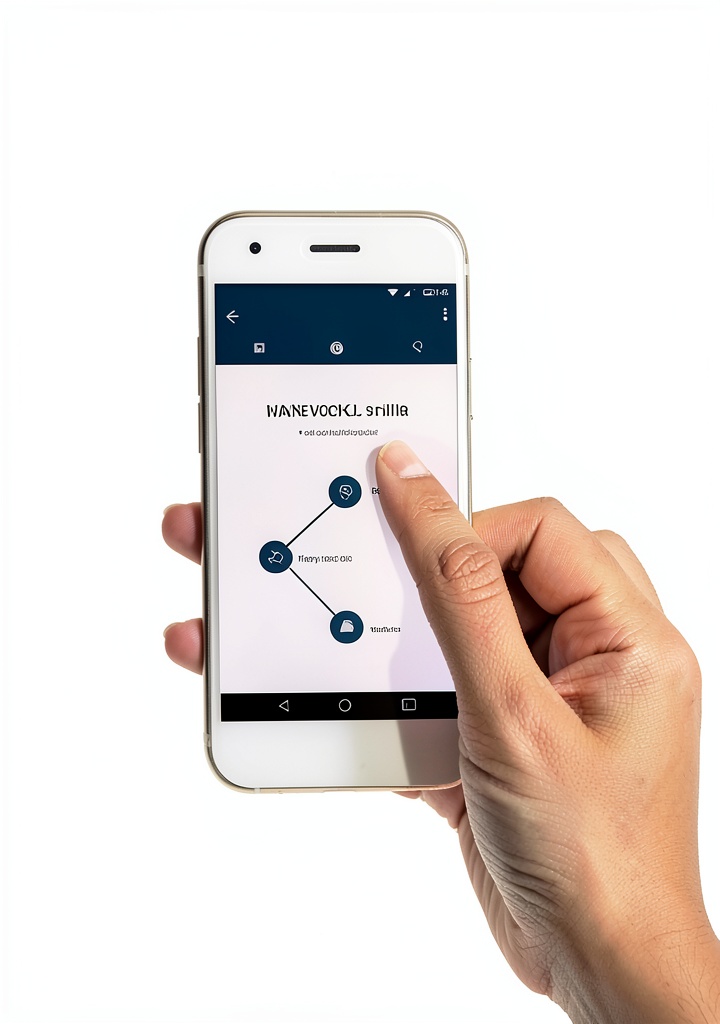
The three‑pack configuration expands coverage to approximately 4,500 sq ft, while a single point can comfortably cover up to 1,500 sq ft. The modular design lets users start with one point and add additional units as needed, creating a scalable mesh that adapts to larger homes or office spaces. The system is managed through the Google Home app, which guides users through a quick setup process, provides real‑time network insights, and offers granular controls such as device prioritization, parental scheduling, and the ability to pause Wi‑Fi on specific devices.
Manufactured by Google, the device carries the model number NLS‑1304‑25 and is identified by ASIN B01MDJ0HVG. It has earned a strong customer rating of 4.5 out of 5 stars from over 17,000 reviews, reflecting reliable performance and user‑friendly management. The product is not discontinued and comes with a one‑year warranty backed by 24/7 phone support from Google.
Usage
The Google Wifi mesh system is designed for a variety of residential and small‑business environments. In a typical family home, the points can be placed in the living room, upstairs hallway, and home office to eliminate dead zones and provide consistent coverage for smartphones, tablets, smart TV, gaming consoles, and IoT devices such as thermostats and security cameras. Because the system automatically balances traffic across bands, users experience smooth 4K streaming on platforms like Netflix and YouTube without manual channel selection.
For remote workers, the reliable 1200 Mbps throughput ensures stable video conferencing and large file transfers, even when multiple colleagues are on a call simultaneously. In apartment buildings where Wi‑Fi interference from neighboring networks is common, the Network Assist feature continuously scans for the cleanest channel, reducing the impact of congestion.
Small offices can benefit from the easy scalability: start with a single point for a modest workspace, then add additional points as the team grows. The built‑in parental controls let administrators enforce usage schedules for shared devices, while the device‑pause function can temporarily disable internet access for conference rooms during presentations.
Why Choose Us
Choosing the Google Wifi 2016 mesh system means selecting a product backed by Google’s extensive experience in cloud services and network engineering. The hardware is constructed from high‑impact plastic that resists scratches and minor drops, extending the lifespan of each unit. Inside, the 2×2 802.11ac Wave 2 radio delivers a balanced mix of speed and range, while BLE integration simplifies the discovery and onboarding of new devices.
Google’s software ecosystem adds value that many competing routers lack. The Google Home app provides an intuitive, step‑by‑step setup that can be completed in under ten minutes, even for users with limited technical knowledge. Ongoing firmware updates are delivered automatically, ensuring the network stays secure against emerging threats without requiring manual intervention.
Customer support is a cornerstone of the offering. Google’s 24/7 phone assistance means users can quickly resolve connectivity issues, and the one‑year warranty covers any manufacturing defects. The combination of solid hardware, intelligent software, and reliable support creates a total ownership experience that stands out in the crowded mesh‑Wi‑Fi market.
Key Features
- Fast 1200 Mbps throughput per point keeps streaming, gaming, and video calls smooth even with many devices.
- Modular coverage up to 4,500 sq ft lets you expand the mesh as your home or office grows.
- Network Assist automatically selects the clearest channel, reducing interference and buffering.
- Google Home app provides simple setup, device prioritization, parental controls, and real‑time network monitoring.
- 24/7 phone support and a one‑year warranty ensure peace of mind and reliable after‑sales service.
FAQ
Can I mix Google Wifi points with other brands?
Google Wifi points are engineered to work together using a proprietary mesh protocol that shares routing tables, channel information, and security keys across the network. When you introduce a third‑party router or access point, the devices can still communicate at a basic level, but advanced features such as automatic channel selection, seamless handoff, and unified management through the Google Home app will not function as intended. The mixed environment may also create duplicate SSIDs, leading to client devices bouncing between networks and experiencing intermittent drops. For most users, the simplest and most reliable configuration is to keep the entire mesh homogeneous, using only Google‑branded points. If you already own a legacy router, you can connect it to the Google Wifi network as a wired backhaul or as a separate network, but you should disable its Wi‑Fi radios to avoid interference. In cases where you need to extend coverage to a remote building or a detached garage, a dedicated Google Wifi point placed in bridge mode can provide a clean extension without sacrificing the core mesh benefits. Overall, while it is technically possible to mix hardware, doing so reduces the intelligent coordination that makes the Google Wifi system stand out, and it may require manual channel planning and additional troubleshooting. If you decide to keep a non‑Google router for legacy devices, place it on a different channel and enable its DHCP server to avoid IP conflicts. Regularly check the Google Home app for any alerts about overlapping networks, and consider using the built‑in Wi‑Fi analyzer to fine‑tune the environment. By following these steps you can maintain a stable hybrid setup while still benefiting from the core mesh performance. Remember to reboot both devices after any configuration change to ensure the new settings propagate correctly across the network.
How do I add a new point to an existing mesh?
Adding a new Google Wifi point to an existing mesh is designed to be a straightforward process that can be completed in a few minutes using the Google Home app. First, ensure the new point is powered on and placed within a reasonable range of an existing active point—typically no more than two rooms away—to allow the initial handshake to succeed. Open the Google Home app, tap the plus (+) icon, and select “Set up new device.” The app will scan for nearby Google Wifi hardware, display the new unit, and prompt you to confirm the addition. Follow the on‑screen instructions to name the point, assign it to a specific room, and optionally enable the “Prefer this point for high‑bandwidth devices” setting if you plan to use it for streaming or gaming. Once the configuration is complete, the app will automatically update the mesh topology, redistributing traffic across all points to balance load and improve overall performance. You can verify the successful integration by checking the network map in the app, which will show the new point as a connected node with signal strength indicators. If the new point does not appear, try moving it closer to an existing node, restarting both devices, or resetting the point by holding the reset button for ten seconds. For larger installations, you may also enable wired backhaul by connecting the new point to an existing one with an Ethernet cable, which can further reduce latency and increase throughput. After the point is fully integrated, you can use the app to monitor its health, set device priorities, and schedule Wi‑Fi pauses for specific devices or time periods. It is also a good idea to label each point physically so you can easily locate it for future troubleshooting. Regularly checking the app’s performance dashboard will help you spot any coverage gaps and reposition points as needed to maintain optimal signal strength throughout the home.
What devices can I control with parental controls?
The parental control feature in Google Wifi works at the network level, which means any device that connects to the Wi‑Fi—whether it is a smartphone, tablet, laptop, gaming console, smart TV, or Internet‑of‑Things gadget—can be placed under a usage policy. In the Google Home app you create a “Family group,” assign each device to a specific child profile, and then set daily time limits, bedtime schedules, or content filters for that profile. For example, you can allow a teenager to have unrestricted internet access after school until 10 p.m., while restricting a younger child’s device to educational apps and a maximum of two hours per day. The system also provides a usage report that shows how much data each device has consumed, which apps were most active, and which websites were visited, giving you insight into online habits without needing to install additional software on each device. Because the controls are applied by the router, they work even on devices that do not support native parental control settings, such as older gaming consoles or smart speakers. You can also pause Wi‑Fi for a specific device with a single tap, which is useful for enforcing quiet time or limiting screen time during homework. All settings are synchronized across the mesh, so the policies remain consistent no matter which point the device is connected to, ensuring a seamless experience throughout the entire coverage area. In addition to time limits, you can block specific categories such as adult content, gambling, or social media platforms, and you can create custom rules that apply only during certain hours of the day. The parental control dashboard also lets you receive notifications when a device attempts to access a blocked site, giving you the opportunity to discuss safe browsing habits with your children. By leveraging these network‑wide controls, families can maintain a healthier digital environment without having to manage each device individually.
Is a wired backhaul required for optimal performance?
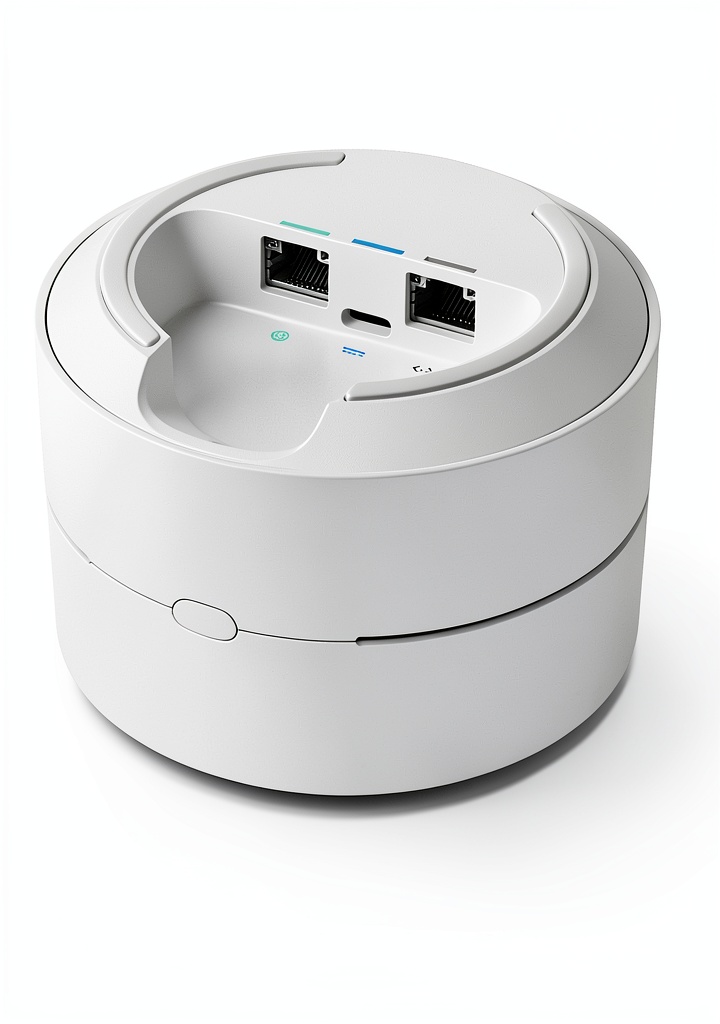
A wired backhaul is not a strict requirement for the Google Wifi mesh system, but it can provide noticeable benefits in environments with heavy traffic or challenging radio conditions. By default, the points communicate wirelessly over the 5 GHz band, which offers high throughput and low latency for most home usage scenarios. However, when multiple devices are streaming 4K video, gaming, or performing large file transfers simultaneously, the wireless inter‑point links can become a bottleneck, especially if the physical distance between points is large or there are many walls and floors in between. Connecting two or more points with an Ethernet cable creates a dedicated, interference‑free pathway for the mesh traffic, freeing up the wireless spectrum for client devices and improving overall stability. The Ethernet ports on each Google Wifi unit support gigabit speeds, so you can achieve near‑wire speeds between points. To set up a wired backhaul, simply plug an Ethernet cable from the LAN port of an existing point into the WAN port of the new point, and the system will automatically detect the wired connection and adjust its routing accordingly. In many cases, users find that a hybrid approach—using wired links for the primary backbone and wireless links for the outermost points—delivers the best balance of performance and flexibility. If running cables is not feasible, you can still rely on the wireless mesh, but consider placing points closer together or using the “Network Assist” feature to optimize channel selection. Ultimately, the decision depends on your specific bandwidth needs, the layout of your home, and whether you prefer the simplicity of a fully wireless setup or the added reliability of a wired backhaul.
What warranty and support options are available?
Google provides a one‑year limited warranty for each Google Wifi point, covering any defects in materials or workmanship that arise under normal use. If a unit fails within the warranty period, you can initiate a replacement through the Google Store or an authorized retailer by providing the serial number and proof of purchase. The warranty does not cover damage caused by accidental drops, water exposure, or unauthorized modifications, but the standard 30‑day return window still applies for most retailers. In addition to the hardware warranty, Google offers 24/7 phone support staffed by engineers who can troubleshoot connectivity issues, guide you through advanced configuration steps, and help resolve any software‑related problems. Firmware updates are delivered automatically over the air, ensuring that the mesh system stays up‑to‑date with the latest security patches and performance improvements without requiring manual intervention. The Google Home app also includes a built‑in help center with step‑by‑step articles, video tutorials, and community forums where you can ask questions and share experiences with other users. For enterprise‑level deployments, Google provides extended support contracts and optional on‑site service, though these are typically arranged through Google Cloud partners. Overall, the combination of a hardware warranty, round‑the‑clock phone assistance, and continuous software updates gives customers confidence that their investment will remain reliable and secure throughout its lifespan. If you experience intermittent connectivity, the support team can remotely diagnose the issue by accessing diagnostic logs from the app, which often resolves problems without the need for a physical replacement. For businesses that require higher uptime, Google also offers a premium support tier that includes priority response times, dedicated account managers, and on‑site installation assistance. These options ensure that both residential and professional users can maintain a stable network environment tailored to their specific needs.

Reviews
There are no reviews yet.